sqlite show how to select database and the architecture of SQLite.
This blog describe how the sqlite implement the atomic commit.
1. Introduction
An import feature of transactional databases like SQLite is “atomic commit”. Atomic commit means that either all database changes within a single transaction occur or none of them occur. Real hardware serializes writes to mass storage, and writing a single sector takes a finite amount of time. So it is impossible to truly write many different sectors of a database file simultaneously and/or instantaneously. But the atomic commit logic within SQLite makes it appear as if the changes for a transaction are all written instantaneously and simultaneously.
The information applies only when SQLite is operating in “rollback mode”, or in other words when SQLite is not using a writing-ahead log. SQLite still supports atomic commit when write-ahead logging is enabled, but it accomplishes atomic commit by a different mechanism from the one described in this article.
2. Hardware Assumptions
We assume that disk is written in chunks which we call a “sector”. It is not possible to modify any part of the disk smaller than a sector. To change a part of the disk smaller than a sector, you have to read in the full sector that contains the part you want to change, make the change, then write back out the complete sector.
SQLite has traditionally assumed that a sector write is not atomic. However, SQLite does always assume that a sector write is linear.
SQLite assumes that the OS will buffer writes and that a write request will return before data has actually been stored in the mass storage device. SQLite further assumes that write operations will be reordered by the OS. For this reason, SQLite does a flush or fsync operation at key points.
SQLite assumes that when a file grows in length that the new file space originally contains garbage and then later is filled in with data actually written. In other words, SQLite assumes that the file size is updated before the file content. This is pessimistic assumption and SQLite has to do some extra work to make sure that it does not cause database corruption if power is lost between the time when the file size is increased and when the new content is written.
SQLite assumes that a file deletion is atomic from the point of view of a user process.
SQLite assumes that the detection and/or correction of bit errors caused by cosmic rays, thermal noise, quantum fluctuations, device driver bugs, or other mechanisms, is the responsibility of the underlying hardware and OS.
3. Single File Commit
3.1 Initial State
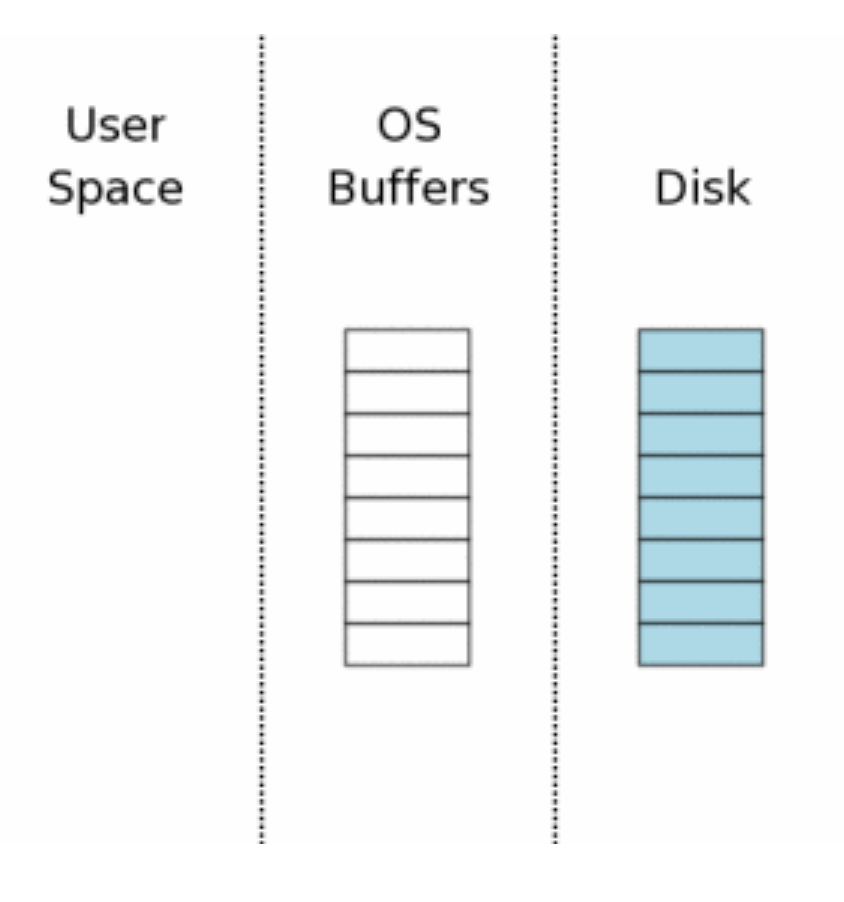
open
database connection is first opened conceptually be the diagram below.
3.2 Acquiring a read lock
Before SQLite can write to a database, it must first read the database to see what is there already.
The first step toward reading from the database file is obtaining a shared lock on the database file. Notice the shared lock is on the OS disk cache, that is OS Buffers, not on the disk itself.
3.3 Reading information Out of the database
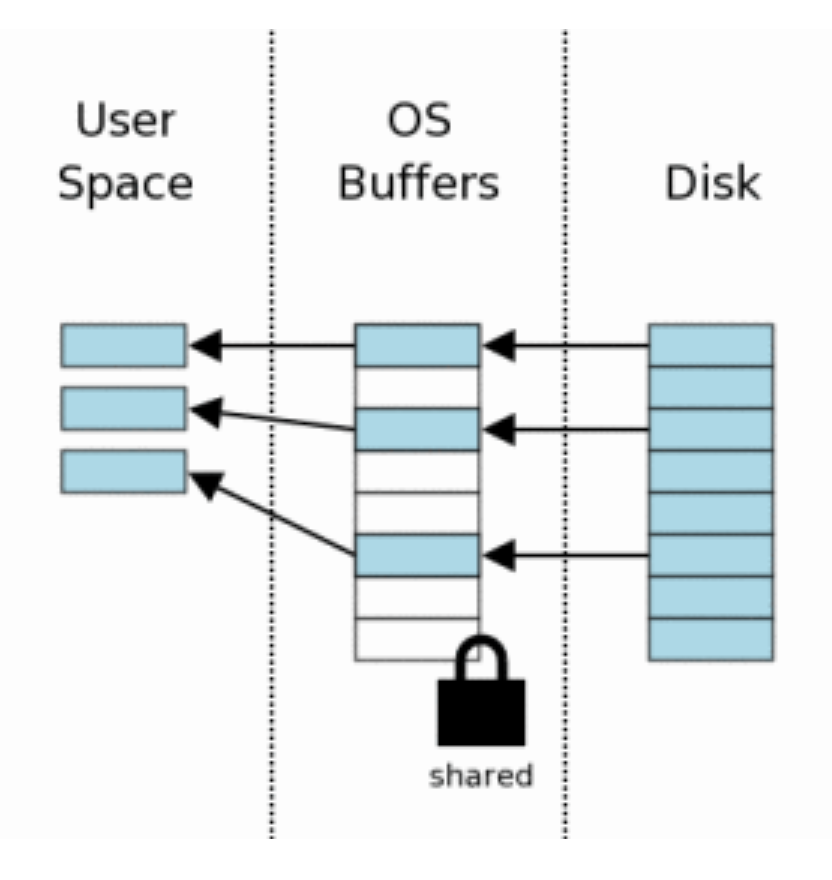 After the shared lock is acquired, we can begin reading information from the database file. In this scenario, we assuming a cold cache, so information must first be read from mass storage into the operating system cache then transfered from OS cache into user space.
Usually only subset of the pages in the database file are read.
3.4 Obtaining a reserved lock
Before making changes to the database, SQLite first obtains a “reserved” lock on the database file. A reversed lock is similar to a shared lock in that both a reserved lock and shared lock allow other processes to read from the database file. A single reserve lock can coexist with multiple shared locks from other processes. However, there can only be a single reserved lock on the database file. Hence only a single process can be attempting to write to the database at one time.
3.5 Creating A Rollback Journal file
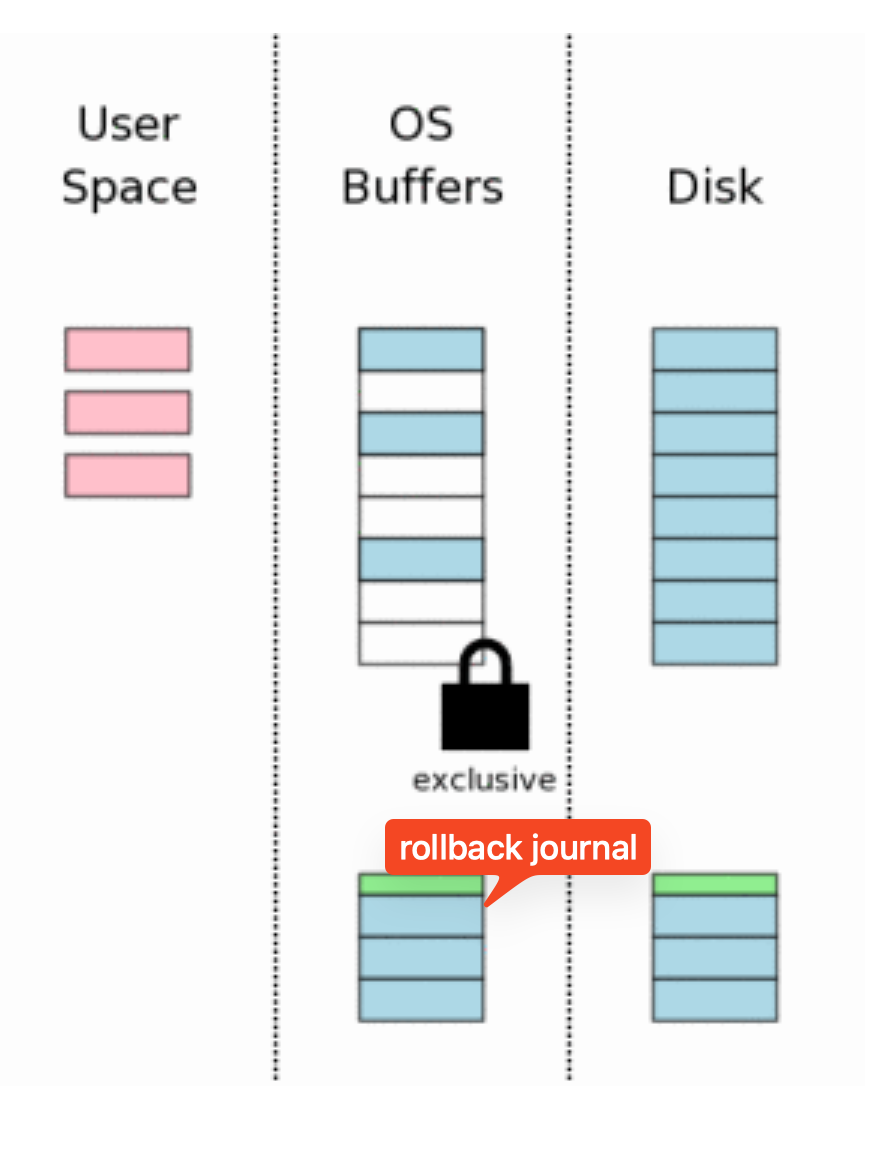
Prior to making any changes to the database file, SQLite first creates a separate rollback journal file and writes into the rollback journal the original content of the database pages that are to be altered.
The rollback journal contains a small header that records the original size of the database file. When a new file is created, most desktop OS will not actually write anything to disk. The new file is created in the OS disk cache only. The file is not created on mass storage util sometime later, when the OS has a spare moment. This creates the impression to users that I/O is happening much faster than is possible when doing real disk I/O.
3.6 Changing database pages in user space
After the original page content has been saved in the rollback journal, the pages can be modified in user memory.
3.7 Flushing the rollback journal file to mass storage
The next step is to flush the content of the rollback journal file to nonvolatile storage. This is a critical step in insuring that the database can survive an unexpected power loss. This step also takes a lot of time
3.8 Obtaining an exclusive lock
prior to making changes to the database file itself, we must obtain an exclusive lock on the database file. Obtaining an exclusive lock is really a two-step process.
First obtaining a “pending” lock that allows other processes that already have a shared lock to continue reading the database file. But it prevents new shared locks from being established. The idea behind a pending a lock is to prevent writer starvation caused by a large tool of readers.
Then it escalated the pending lock to an exclusive lock.
3.9 Writing changes to the database file
Once an exclusive lock is held, we know that no other processes are reading from the database file and it’s safe to write changes into the database file.
3.10 Flushing changes to mass storage
Another flush must occur to make sure that all the database changes are written into nonvolatile storage.
3.11 deleting the rollback journal
After the database changes are all safely on the mass storage device, the rollback journal file is deleted.
3.12 releasing the lock
The last step in the commit process is to release the exclusive lock so that other processes can once again start accessing the database file.
4. Rollback
4.1 When something goes wrong… e.g power loss
using rollback journal if it’s existed.
4.2 Hot rollback journals
The first time that any SQLite process attempts to access the database file, it obtains a shared lock as described in last section 3.2 above. But then it notices that there is a rollback journal file present. SQLite then checks to see if the rollback journal is a “hot journal”. A hot journal is a rollback journal that needs to be played back in order to restore the database to a sane state. A hot journal only exists when an earlier process was in the middle of committing a transaction when it crashed or lost power.
A rollback journal is a “hot” journal if all of the following are true:
- The rollback journal exists.
- The rollback journal is not an empty file.
- There is no reserved lock on the main database file.
- The header of the rollback journal is well-formed and in particular has not been zeroed out.
- The rollback journal does not contain the name of a super-journal file (see section 5.5 below) or if does contain the name of a super-journal, then that super-journal file exists.
4.3 Obtaining an exclusive lock on the database
4.4 rolling back incomplete changes
once a process obtains an exclusive lock, it’s permitted to write to the database file. It then read the rollback journal file that contains the original content of pages and write that back to where it came from in the database file.
4.5 Delete the hot journal
4.6 continue as if the uncompleted writes had never happened
The final recovery step is to reduce the exclusive lock back to a shared lock. Once this happened, the database if back in the state that it would have been if the aborted transaction had never started.
5. Multi-file commit
SQLite allows a single database connection to talk to two or more database files simultaneously through the use of the ATTACH DATABASE command. When multiple files are modified within a single transaction, all files are updated atomically.
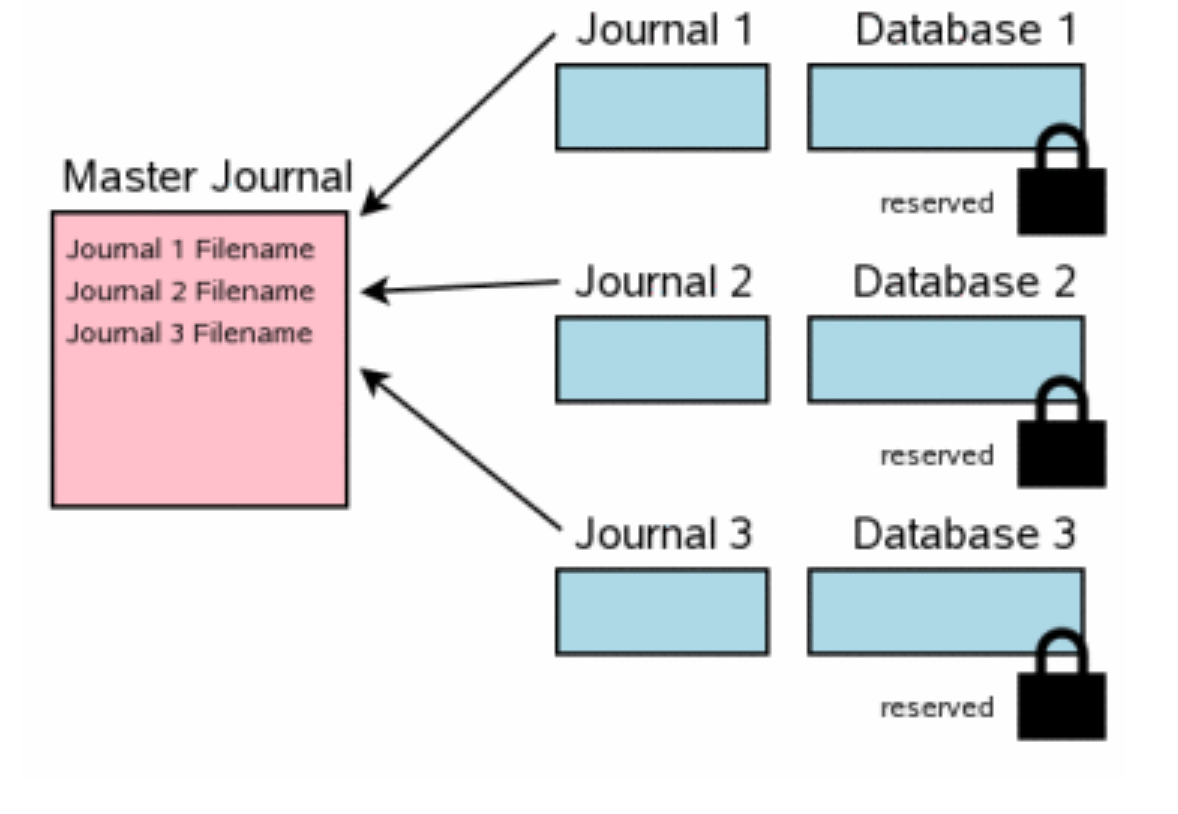
5.1 separate rollback journals for each database
5.2 The super-journal file
The next-step in multi-file commit is the creation of a “super-journal” file. Unlike the rollback journals, the super-journal only contains the full pathnames for rollback journals for every journals for every database.
After the super-journal is constructed, its contents is flushed to disk before any further action is taken.
5.3 updating rollback journal headers
The next step is to record the full pathname of the super-journal file in the header of every rollback journal.
This step is analogous to 3.7
5.4 updating the database files
Once all rollback journal files have been flushed to disk, it’s safe to begin updating database files.
This step corresponds to 3.8, 3.9, 3.10
5.5 delete the super-journal file
5.6 clean up the rollback journal
6. Additional details of the commit process
Omit… (read ref link)